
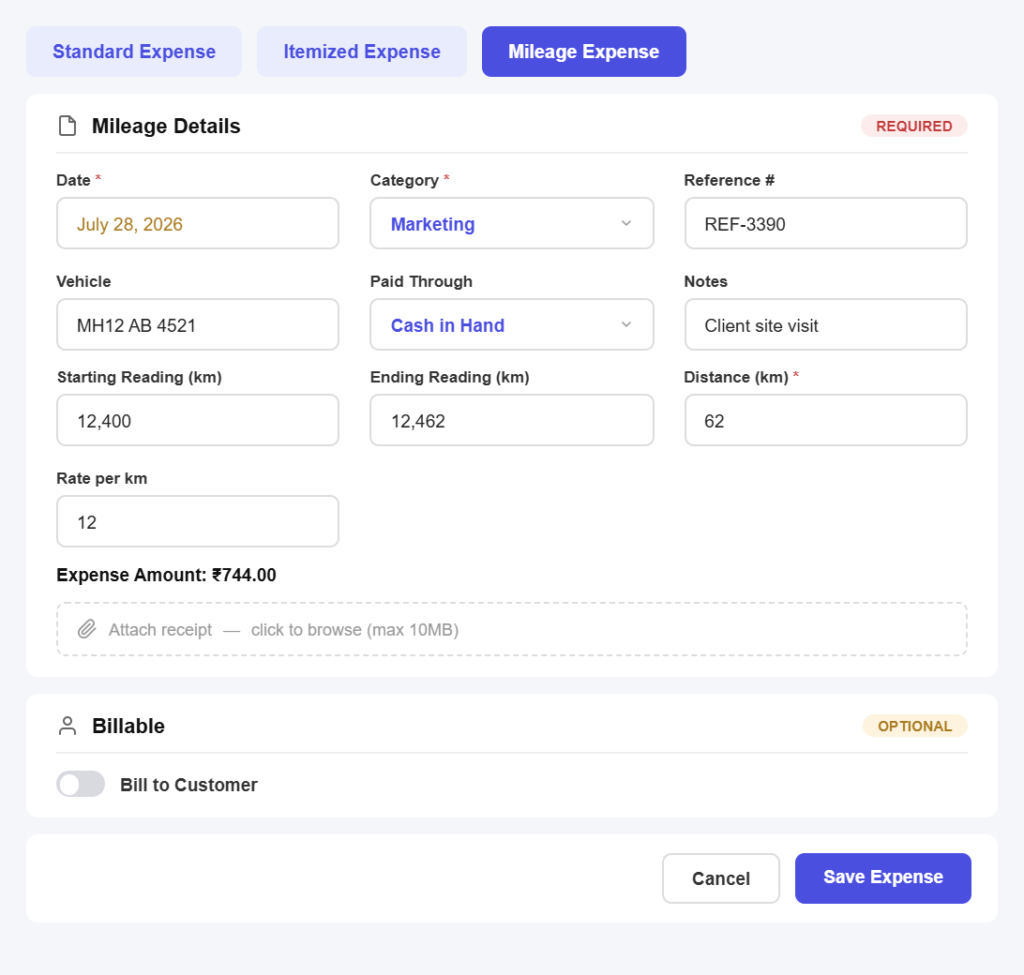
Capture as you go
Log an expense in three simple steps
No spreadsheets and no month-end panic. Record a spend in seconds.
Step 01
Capture the receipt
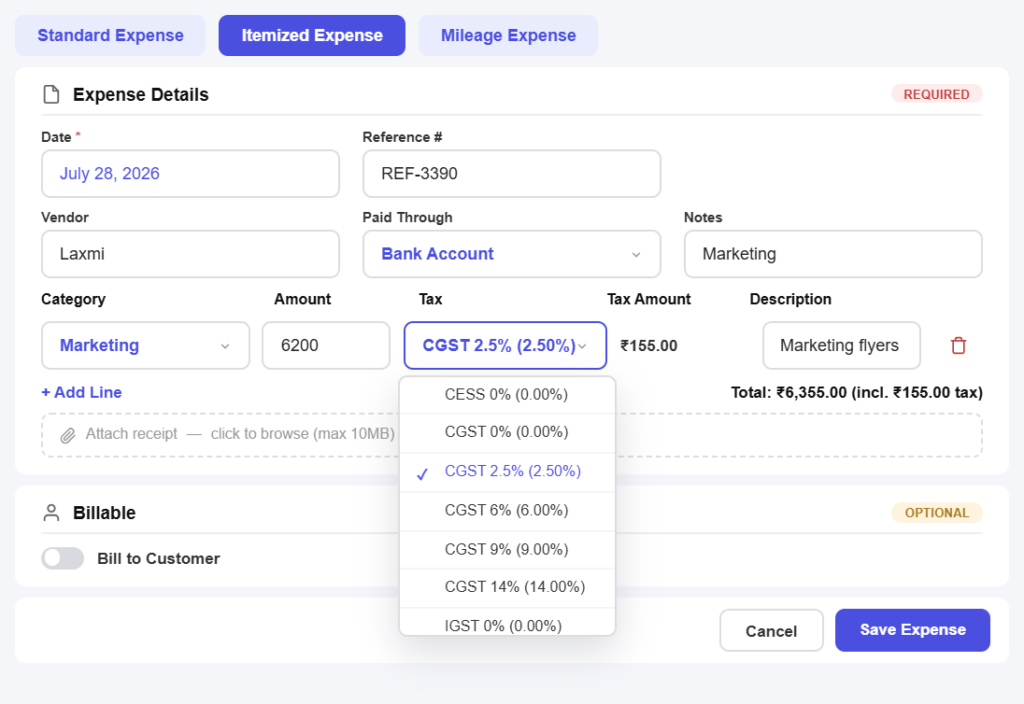
Photograph the bill on your phone or upload the PDF, and attach it to the expense while you still have it in your hand.
Step 02
Tag and categorise
Pick a category, a client or a project, and record the GST paid so the cost lands in the right place from the start.
Step 03
Rebill or absorb
Mark it billable to add it to that client’s next invoice, or leave it as an overhead and keep it out of client-facing documents.
Expense features
Everything you need to control what you spend
Receipts that never go missing
Snap it on the spotPhotograph a bill the moment you are handed it, from a fuel station or a hardware shop, and it is filed against the expense before you drive away.
The paper stays attachedEvery receipt lives with its expense, so when a client or your CA queries a cost months later the proof is one tap away.
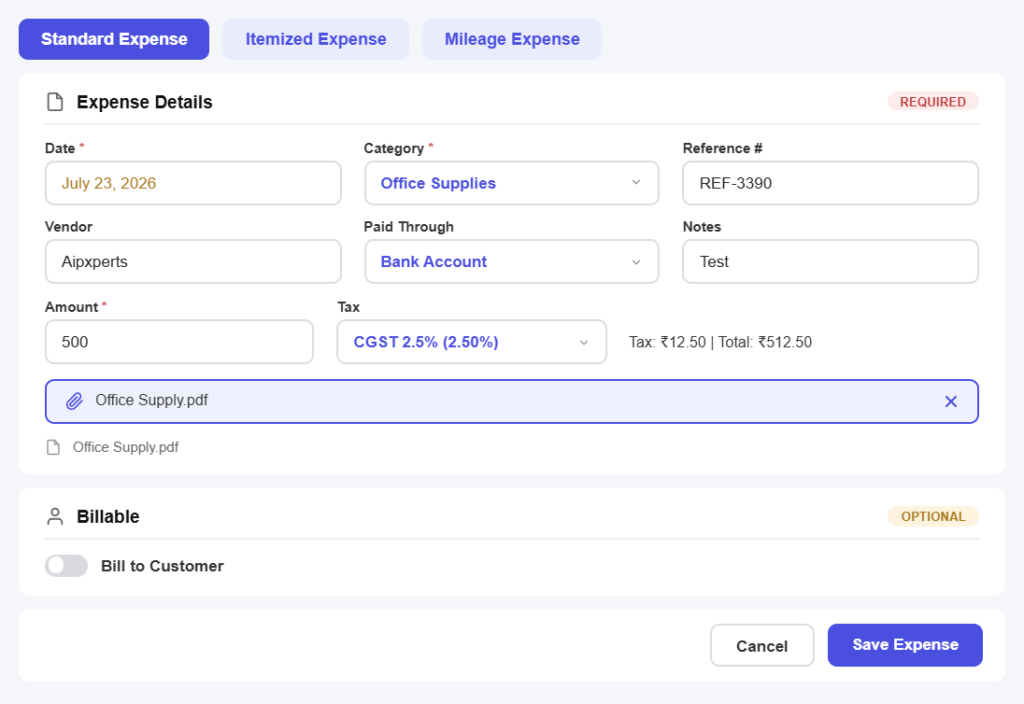
Categories that make sense later
Your own categoriesGroup spending the way your business actually works, by travel, materials, subcontractors or software, instead of forcing it into someone else’s chart of accounts.
Per client and per projectTag a cost to the job it belongs to, so you can see what a project really earned once the spending is counted.
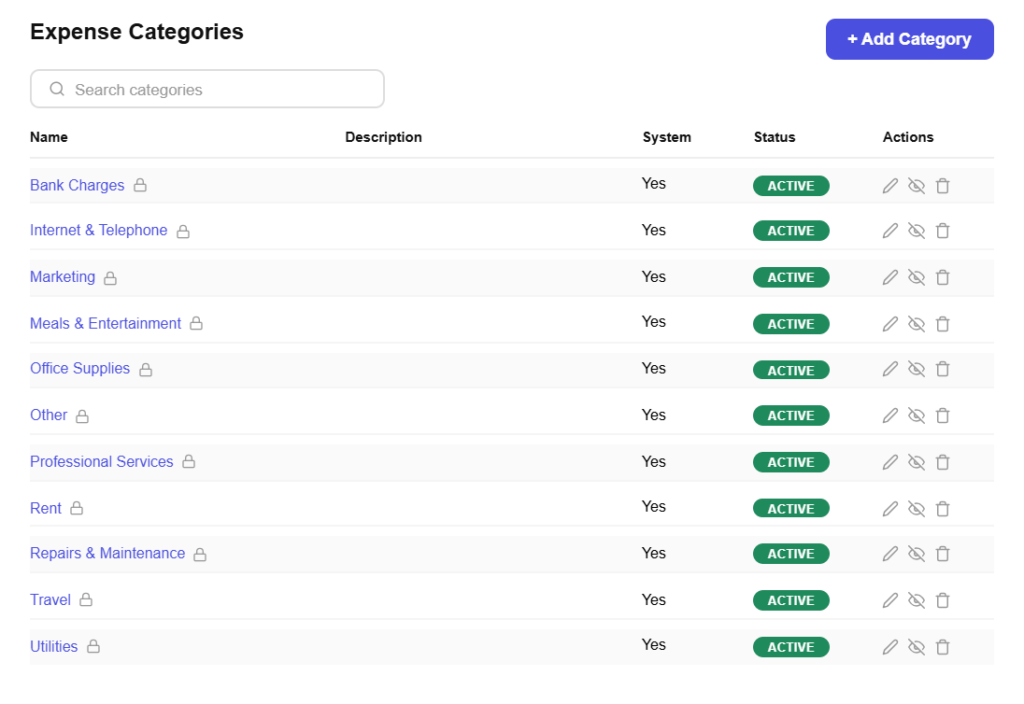
Billable costs, never forgotten
Flag it billable onceMark an expense as rebillable and it is offered automatically the next time you invoice that client, at cost or with a markup.
Margins you can actually seeCosts tied to a client sit alongside what you billed them, so the profit on a job is a number rather than a guess.
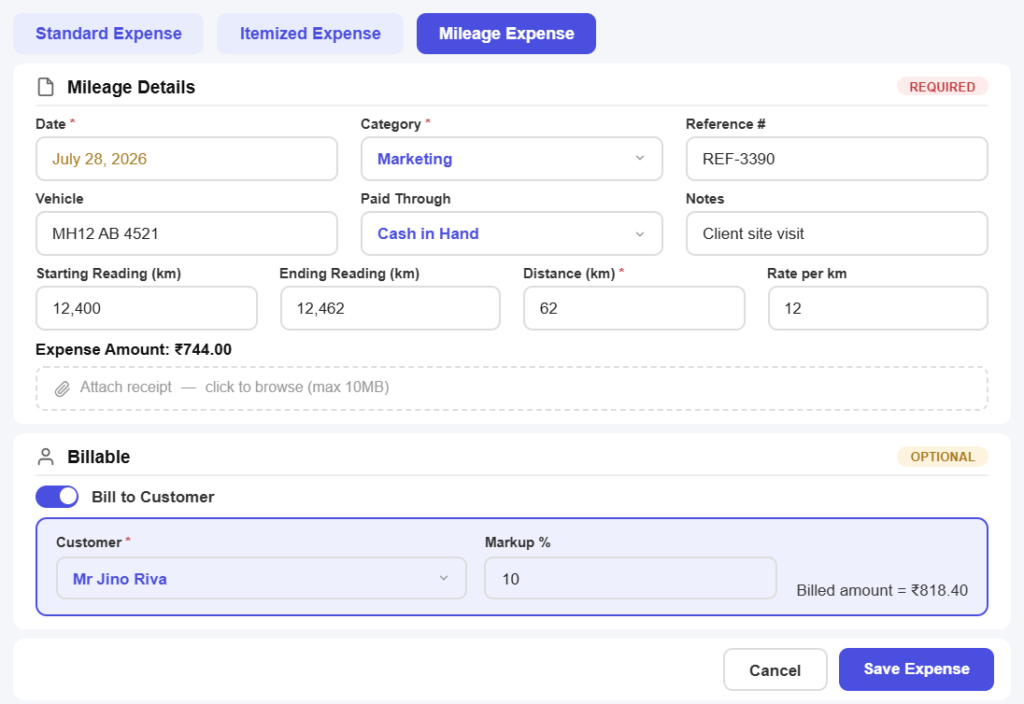
Input tax kept in view
GST paid, recordedCapture the tax on each purchase as you enter it, so the input side of your GST position is not a month-end reconstruction.
Vendor GSTINs on fileStore who you bought from along with their GSTIN, keeping purchase records consistent with what you claim.
Know where the money goes
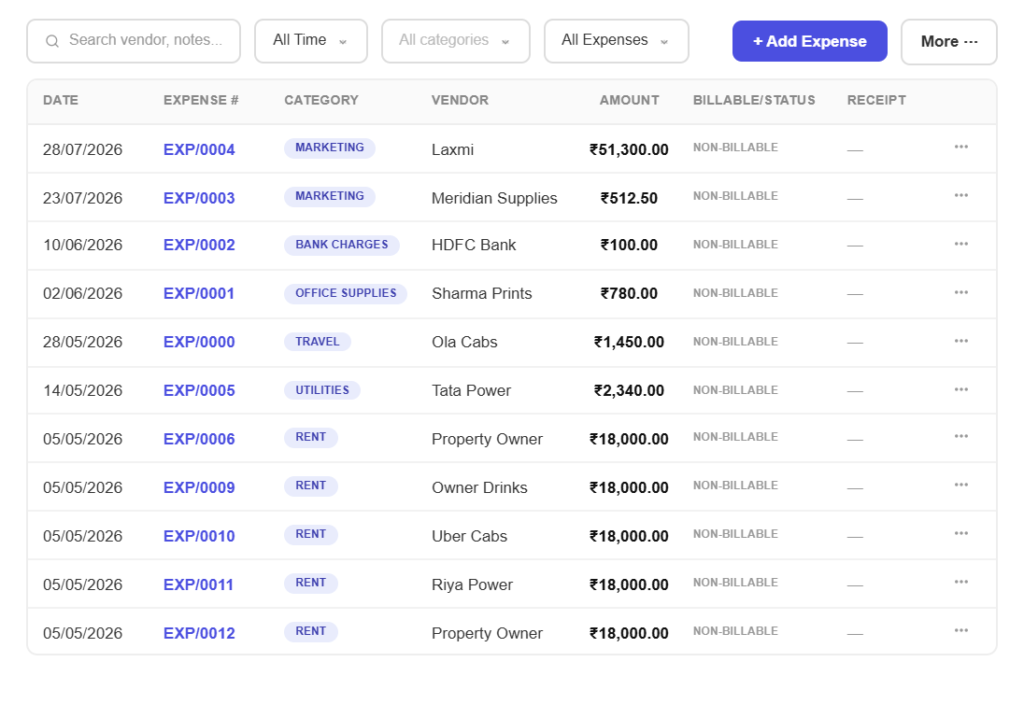
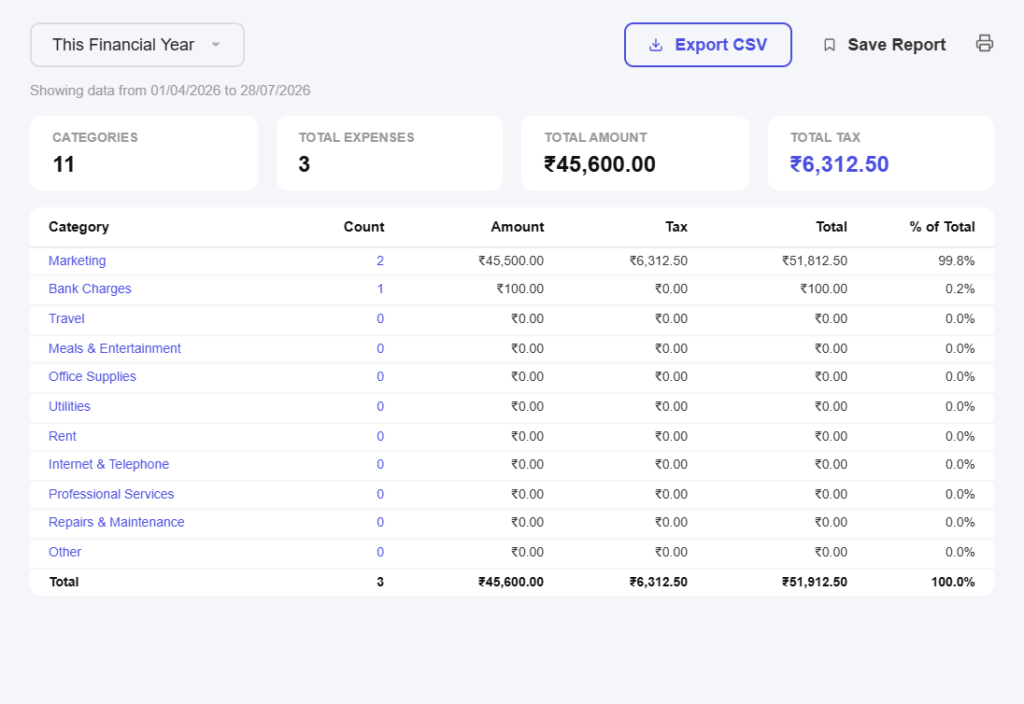
Spend by category and monthSee where the money went across any period and spot the costs that crept up while you were busy working.
Top vendors at a glanceFind out who you spend most with, which is where negotiating a better rate actually moves the needle.
Ready for your accountant
Export what they ask forHand your accountant a clean expense export with receipts attached, instead of a folder of photographs and a best guess.
Nothing reconstructed laterBecause costs are captured as they happen, month-end is a review rather than an archaeology project.
All in one place
One platform that goes beyond expenses
Expenses are only half the picture. Pinvoice brings your whole billing workflow together.
Quotes & estimates
Send quotes and convert approved ones into invoices in one click.
Credit notes
Issue GST-safe credit notes for refunds and adjustments.
Expense tracking
Record business expenses and rebill them to clients.
Items & pricing
Save products with rates, HSN/SAC codes and GST slabs.
Contacts
Keep customer GSTINs, history and balances in one place.
Users & roles
Invite your team and accountant with the right permissions.
Payments
Record UPI, bank transfer, cheque or cash against an invoice and watch the outstanding balance update straight away.
For every kind of business
Expense tracking for your line of work
Travel, materials, subcontractors, software. Every trade spends differently. Pinvoice fits yours.
Stop absorbing costs you meant to bill
From receipts captured on the spot to costs rebilled automatically, Pinvoice protects your margin, free, forever. Create your account today.
Free foreverNo credit cardCancel anytime
FAQ
Expense questions, answered
What counts as a business expense?
Any cost you incur to run or deliver your work, from travel and materials to software subscriptions, subcontractors and professional fees. The practical test is whether you would have spent it if you were not doing the work. Recording it properly is what lets you claim it and price jobs accurately.
Can I attach a photo of a receipt?
Yes. Photograph the bill on your phone or upload a PDF and it stays attached to that expense permanently. When a client queries a rebilled cost or your accountant asks for proof, the document is one tap away rather than in a drawer.
How do I rebill an expense to a client?
Mark the expense as billable and tag it to the client or project. The next time you raise an invoice for them, the cost is offered for inclusion, either at what you paid or with a markup you set. Nothing gets missed because it was noted on paper.
Does Pinvoice track GST paid on purchases?
Yes. Record the tax on each expense as you enter it, along with the vendor and their GSTIN. That keeps the input side of your GST position current instead of something you reconstruct at filing time.
Can I see how much a project actually cost?
Yes. Tag expenses to a client or project and they sit alongside what you invoiced, so you can see the real margin on a job rather than assuming the quoted price was the profit.
Is expense tracking software free?
Yes. Expense tracking is part of Pinvoice at no cost, with no cap on the number of expenses or receipts you store and no credit card needed to start.