
Home/Features/Payment Recording
Payment recording that keeps your receivables honest
Mark invoices paid, log part payments, and keep a dated record of how every rupee arrived, whether by UPI, bank transfer, cheque or cash. Pinvoice keeps what you are owed accurate without touching your bank account.
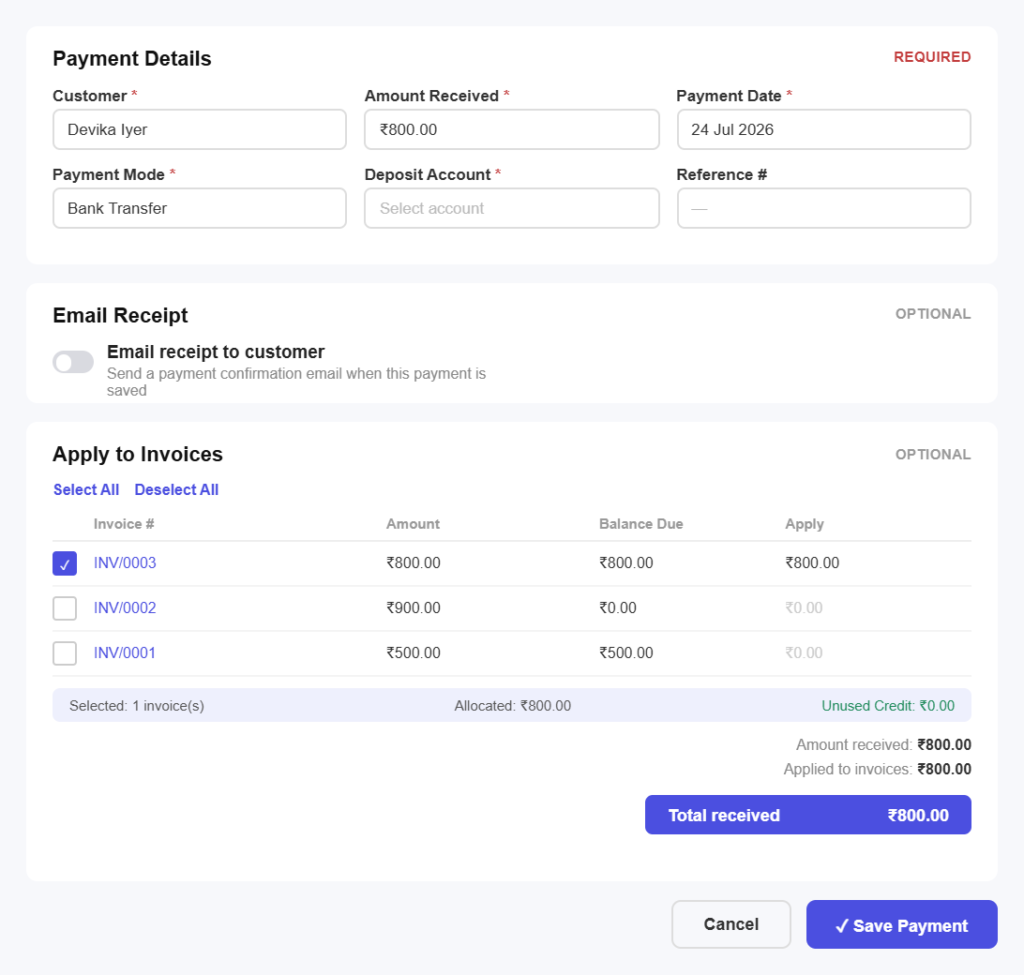
Always up to date
Record a payment in three simple steps
No integrations to configure. Record a payment the moment it lands.
Step 01
Open the invoice
Find the invoice the money relates to, from the list or by searching the customer, and open it to record against it.
Step 02
Record what arrived
Enter the amount received, the date and how it arrived, whether that is UPI, bank transfer, cheque or cash.
Step 03
Send the receipt
Issue a payment receipt so your customer has confirmation, and the invoice status updates on both sides.
Payment features
Everything you need to track money received
Paid, part paid or pending
Not just paid or unpaidRecord a deposit now and the balance later, with the invoice showing part paid and the exact amount still outstanding rather than an all-or-nothing flag.
Overpayments handledIf a client pays more than the invoice, the surplus sits on their account ready to offset the next bill instead of quietly disappearing.
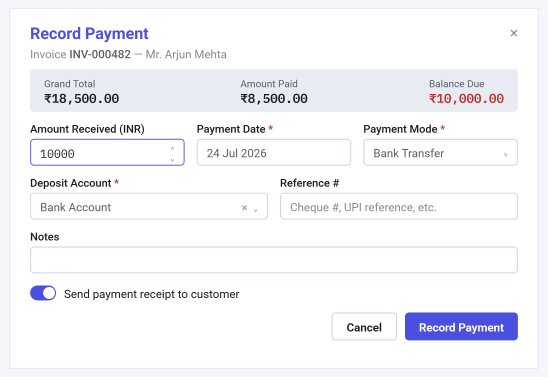
Every method on record
However the money came inLog UPI, bank transfer, cheque, card or cash against the invoice, so the record matches how your business actually gets paid.
Reference numbers keptStore the UTR, cheque number or transaction reference with the payment, which is what makes matching your bank statement possible.
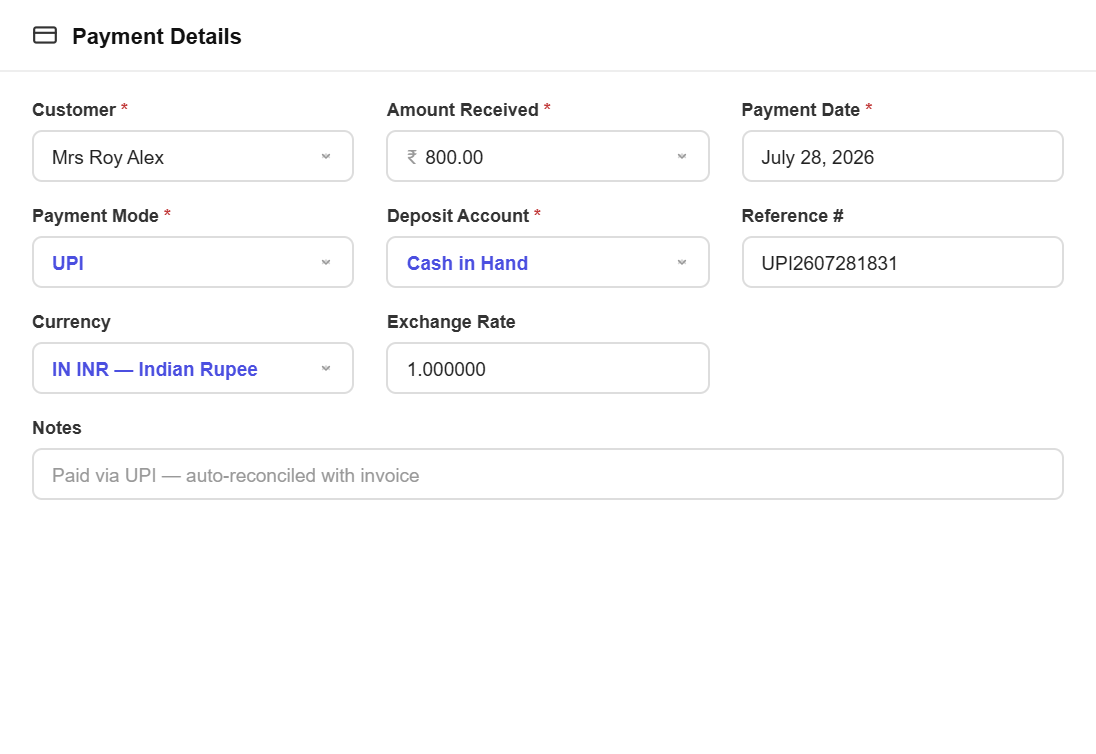
Receivables that update themselves
Outstanding, always currentRecording a payment adjusts the customer balance and your receivables total immediately, so the figure you rely on is never yesterday’s.
No double chasingBecause status updates as soon as the payment goes on, nobody sends a reminder for an invoice that was settled last week.
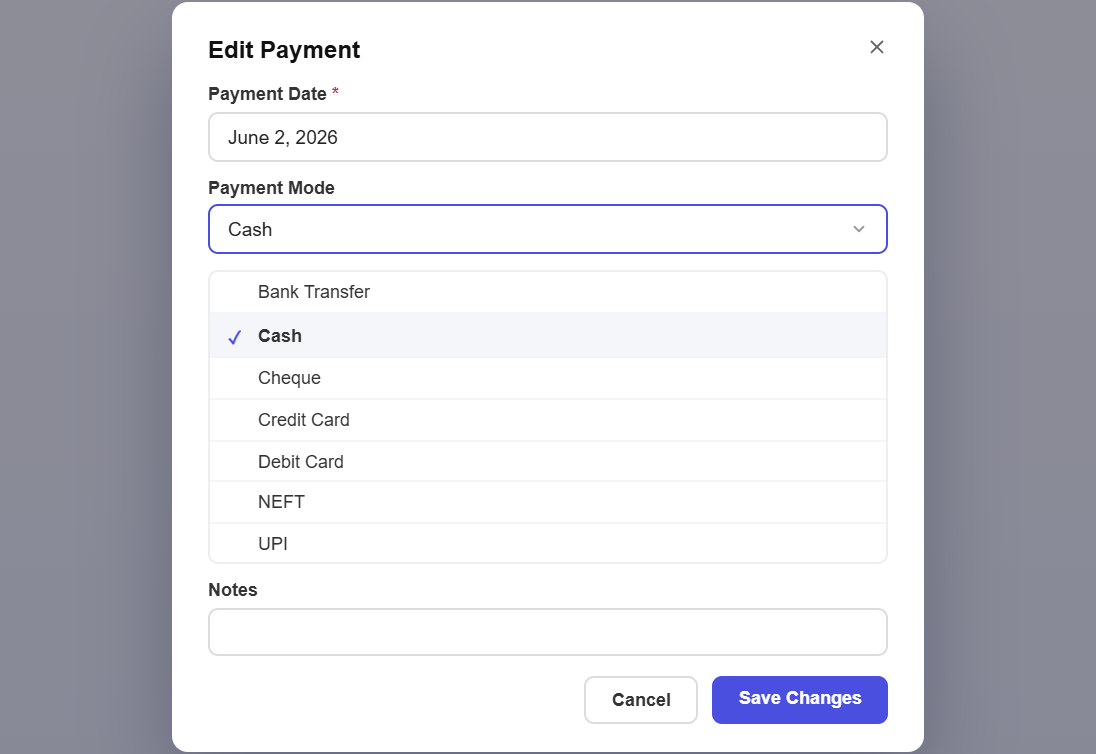
Receipts your clients can keep
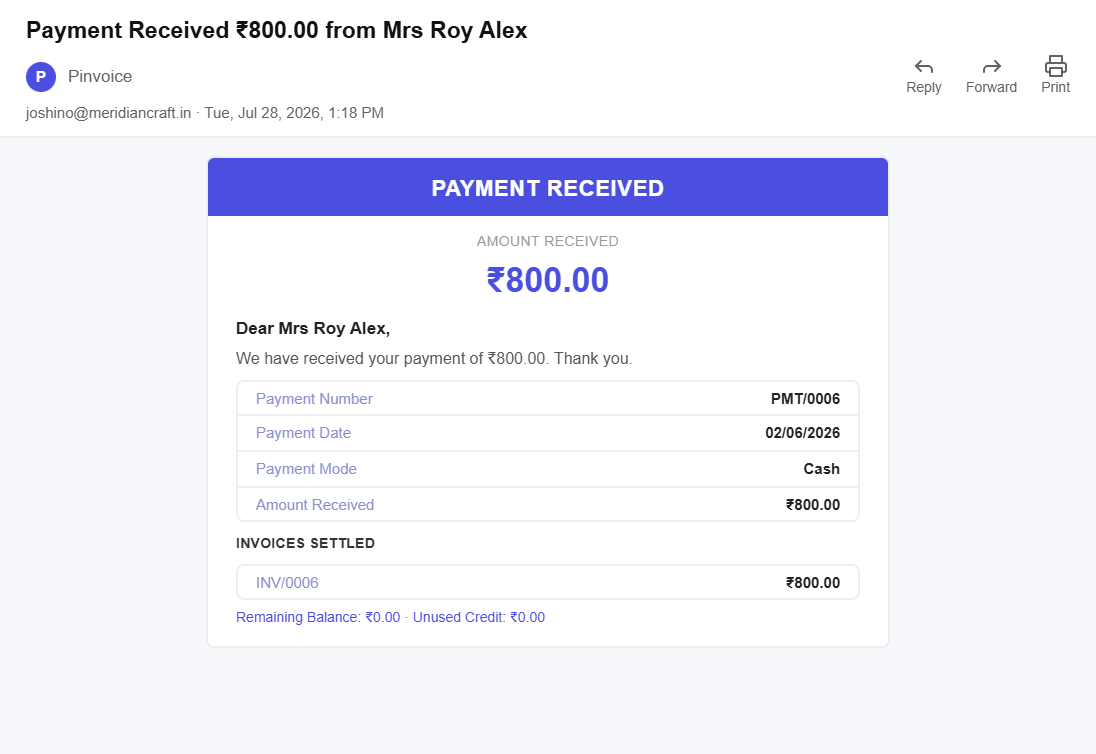
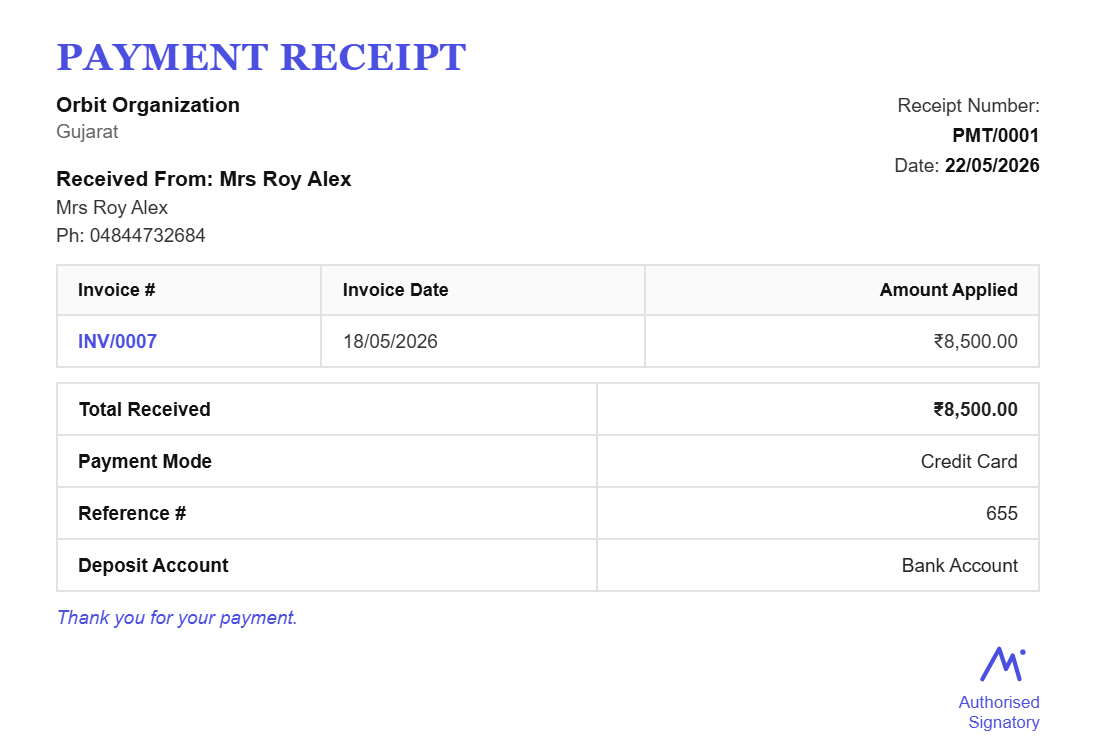
Proof of payment, instantlyGenerate a dated receipt against the payment and send it by email, so the client has confirmation without asking.
Professional and consistentReceipts carry your business details and numbering, so the last document in the job looks as considered as the first.
A history that reconciles
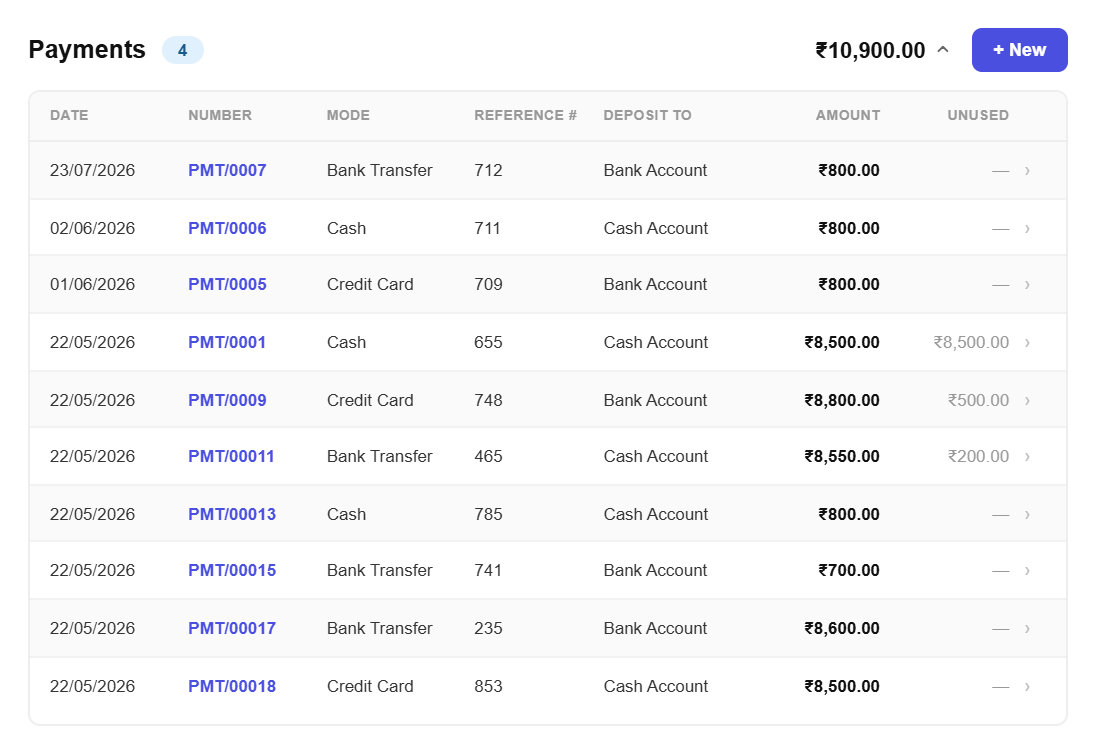
Reconcile without guessworkEvery payment is dated, referenced and tied to an invoice, so matching a month of bank entries is a check rather than an investigation.
Nothing recorded twicePayments belong to the invoice they settle, which stops the same money being counted against two different bills.
Know who still owes you
One list of debtorsSee every customer with an outstanding balance and how overdue each one is, without assembling it yourself.
Follow up with factsChase with the invoice number, date and amount still outstanding in front of you, which tends to end the conversation faster.
All in one place
One platform that goes beyond payments
Payments close the loop. Pinvoice brings your whole billing workflow together.
Quotes & estimates
Send quotes and convert approved ones into invoices in one click.
Credit notes
Issue GST-safe credit notes for refunds and adjustments.
Expense tracking
Record business expenses and rebill them to clients.
Items & pricing
Save products with rates, HSN/SAC codes and GST slabs.
Contacts
Keep customer GSTINs, history and balances in one place.
Users & roles
Invite your team and accountant with the right permissions.
Vendors
Keep supplier details, purchase orders and bills together, so what you owe is as clear as what you are owed.
For every kind of business
Payment tracking for your line of work
Deposits, milestones, retainers or cash on delivery. Every trade collects differently. Pinvoice fits yours.
Stop wondering which invoices are actually paid
From part payments to receipts your clients can keep, Pinvoice makes sure your books match your bank, free, forever. Create your account today.
Free foreverNo credit cardCancel anytime
FAQ
Payment questions, answered
Does Pinvoice process payments or take card details?
No. Pinvoice records payments you have already received, it does not act as a payment gateway and never handles your customers’ card or bank details. You collect the money however you normally do, by UPI, bank transfer, cheque or cash, then log it against the invoice so your books stay accurate.
How do I record a part payment?
Open the invoice and enter the amount that arrived rather than the full value. The invoice is marked part paid and shows exactly what remains outstanding, so deposits, milestones and instalments are all handled without workarounds.
Can I record cash and cheque payments?
Yes. Any method can be recorded, including cash, cheque, UPI, bank transfer and card. You can store the cheque number or transaction reference alongside it, which is what makes reconciling against your bank statement straightforward later.
What happens if a client overpays?
The extra sits as a credit on that customer’s account and is offered against their next invoice, so the money is not lost track of and you are not issuing a refund for a small balance.
Can I send a receipt after recording a payment?
Yes. Generate a dated payment receipt and send it by email in one tap. The customer gets confirmation without having to ask, and you have a record that the payment was acknowledged.
Is payment tracking free?
Yes. Recording payments, issuing receipts and tracking receivables are all included in Pinvoice at no cost, with no per-transaction fee and no credit card needed to start.