
An item list that gets the price and the tax right every time
Save what you sell once, with its rate, unit, HSN or SAC code and the right GST slab for both intra-state and inter-state sales. Then add it to any invoice or quote in two taps and let Pinvoice work out the tax.
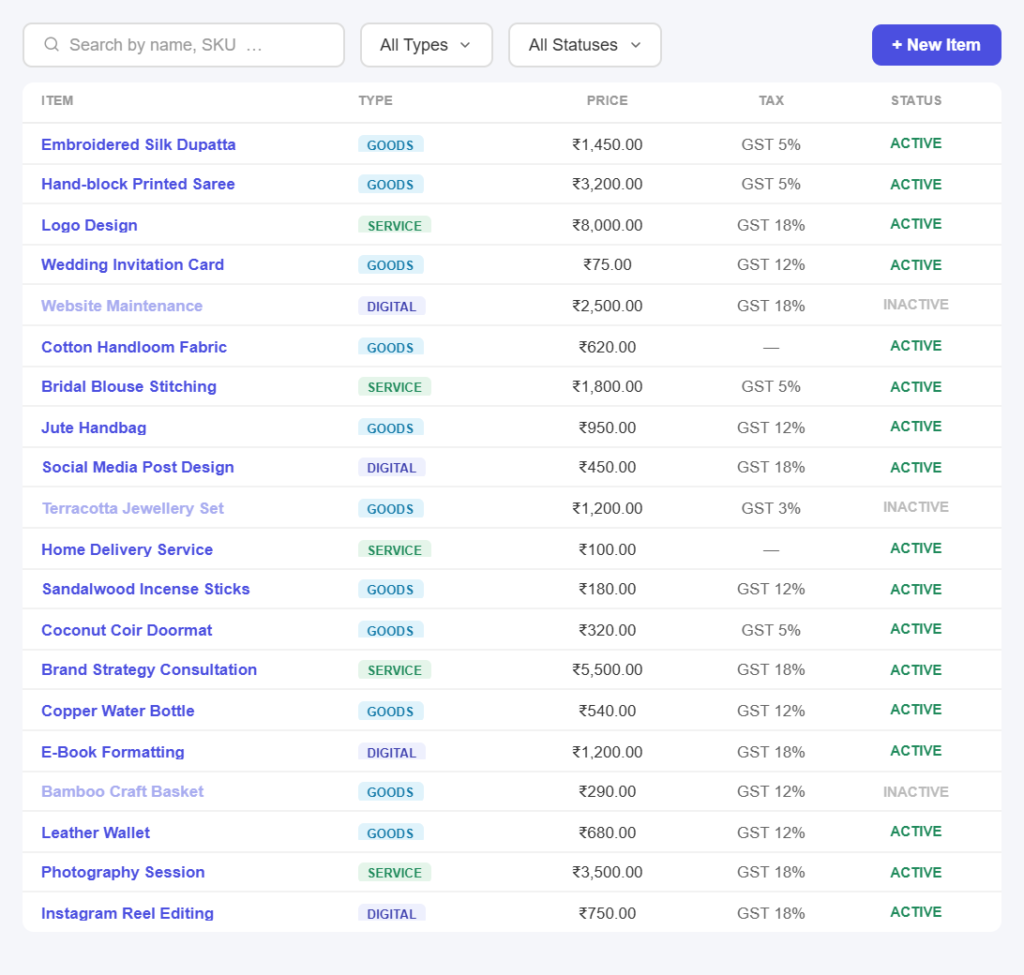
Built once, reused always
Save an item in three simple steps
No catalogue to import. Save your first item and use it on the next invoice.
Step 01
Pick the type
Choose whether you are saving goods, a service or a digital service, and give it a name, a unit and an optional SKU and image.
Step 02
Set price and tax
Enter the selling price, choose the tax groups for intra-state and inter-state sales, and add the HSN or SAC code.
Step 03
Use it everywhere
The item is now available on every invoice, quote and credit note, with its rate and tax filled in automatically.
Item features
Everything your product and service list should do
Goods, services and digital
Three types, one listTrack physical goods, billable services and digital services side by side, each with the fields that actually apply to it.
SKU and unit where they matterGive goods a SKU and a unit like pieces, dozen or kilogram, and bill services by the hour or the month, without forcing everything into one shape.
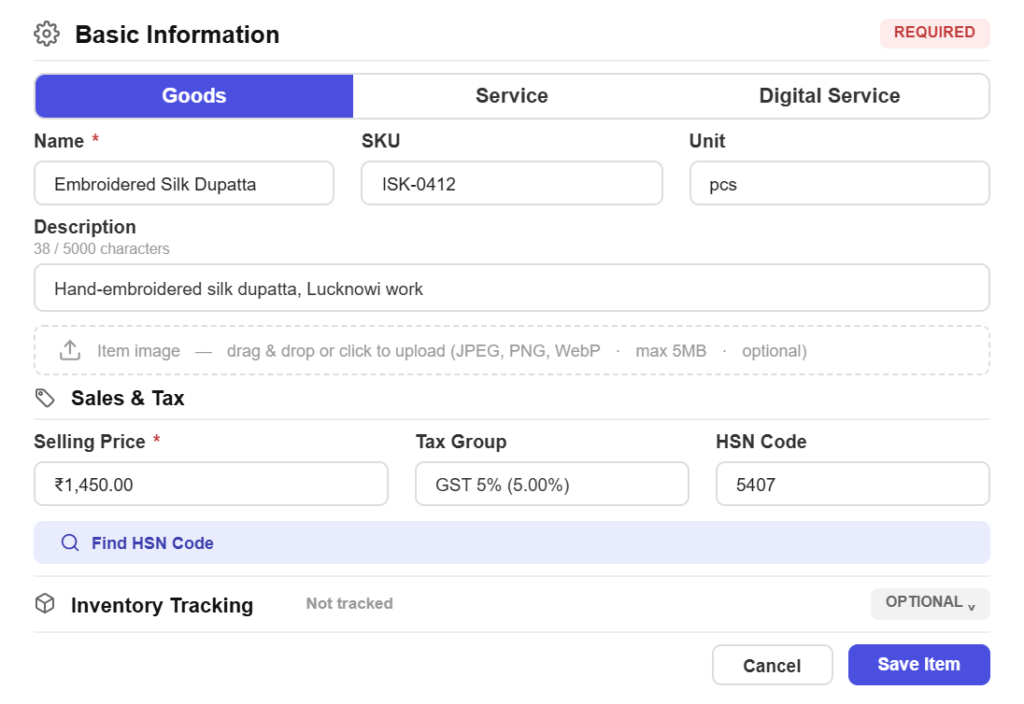
Tax that follows the buyer
Intra-state and inter-state, separatelySet a CGST and SGST group for local sales and an IGST group for other states, and Pinvoice picks the right one based on where the customer is.
Tax-inclusive or exclusiveEnter a price that already includes tax, or one that does not, and mark genuinely exempt items so nothing is charged that should not be.
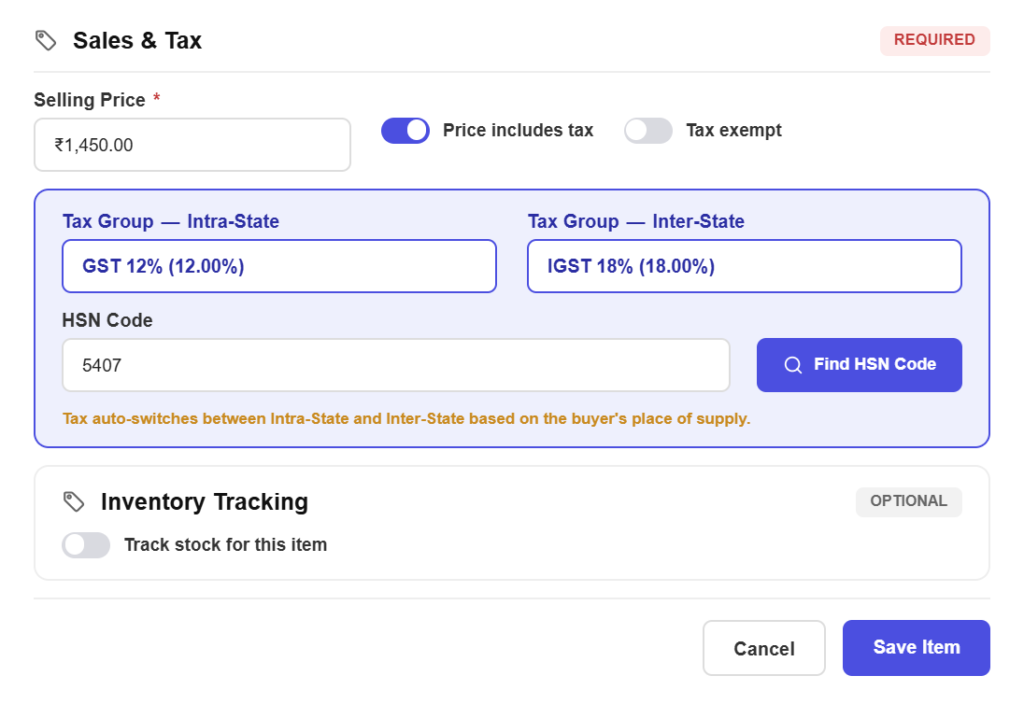
HSN and SAC without the hunt
Look the code up in placeSearch for the right HSN or SAC code from inside the item form instead of opening a government PDF in another tab.
Filing depends on itHSN and SAC codes are what make your GSTR-1 accepted, so getting them onto the item once saves fixing them on every invoice.
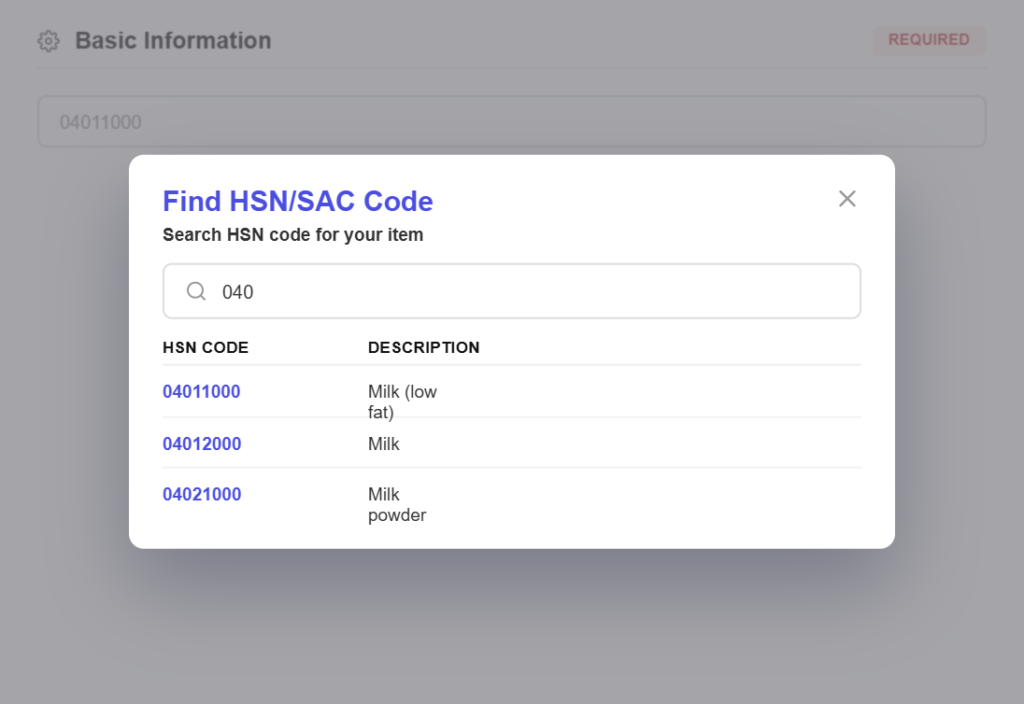
Price the way you quote it
One rate, everywhereChange an item’s price once and every future invoice and quote uses it, so you are not quoting last year’s rate by accident.
Track cost for marginTurn on purchase price and record what an item costs you next to what you sell it for, so margin is visible rather than assumed.
Stock, only if you need it
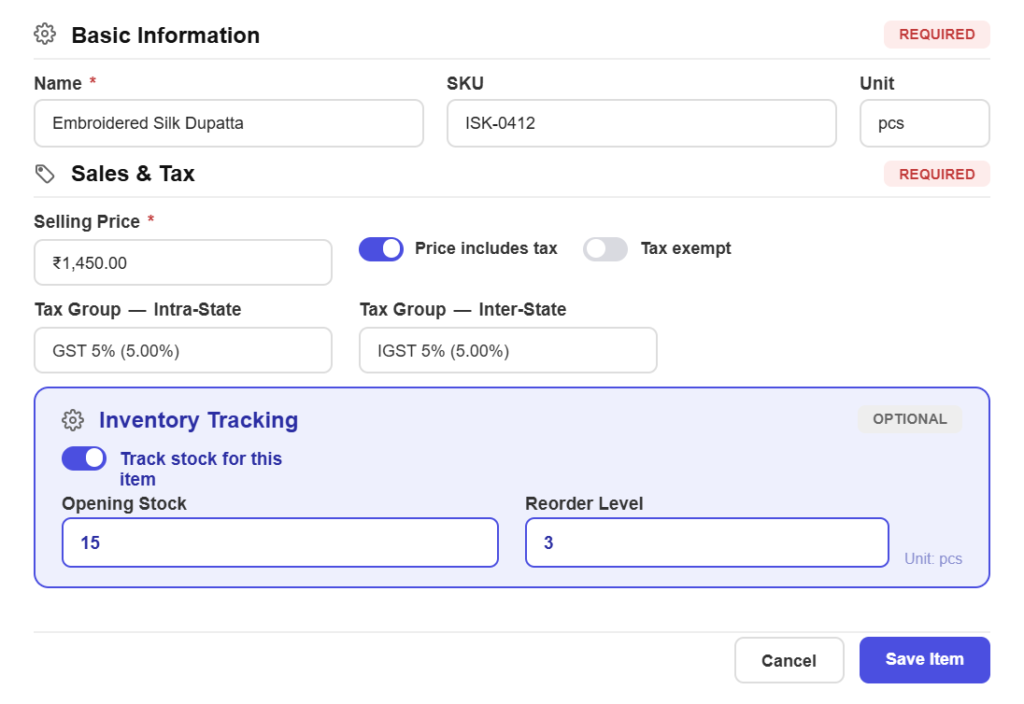
Turn inventory on per itemTrack stock for the goods that need it and leave services alone, with quantities in your own units.
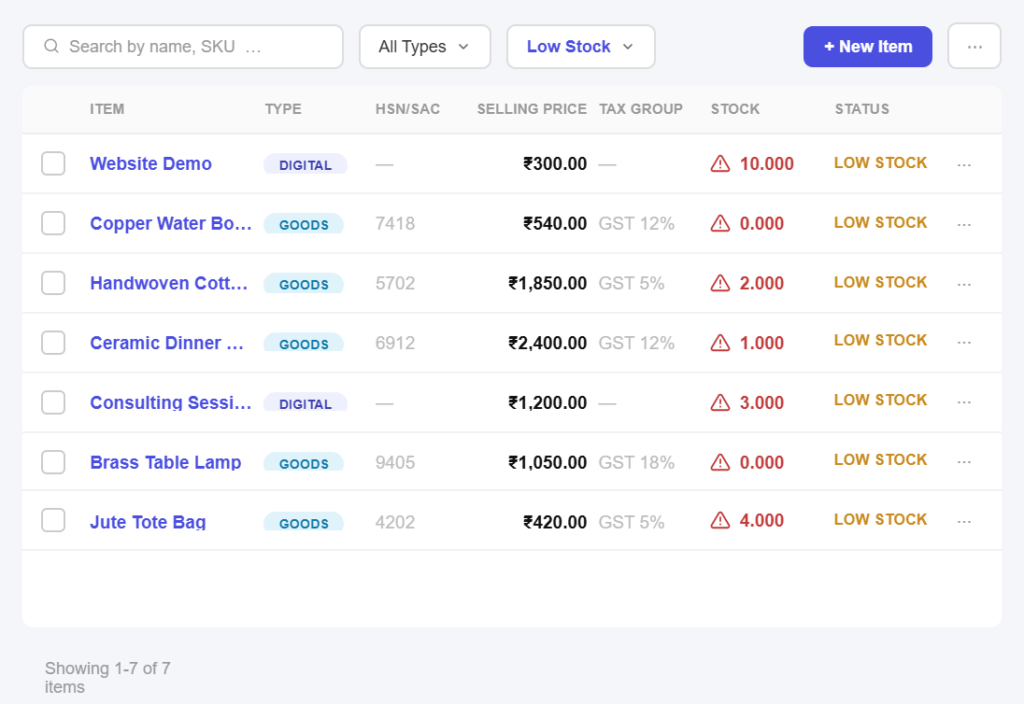
Warned before you run outGet a low stock badge at your reorder level and see stock levels on the item list, so a sale is never promised against nothing.
Consistent on every document
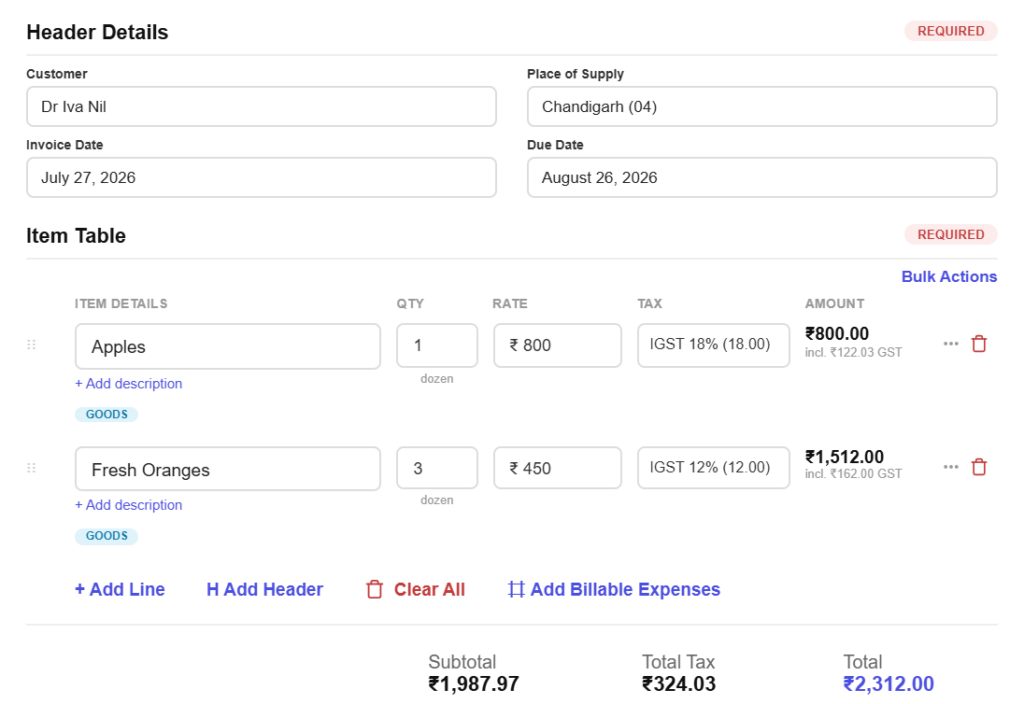
Descriptions that carry throughWrite the description once and choose whether it prints under the item name on the invoice PDF.
Retire without deletingMark an item inactive when you stop selling it. It disappears from new invoices while old ones keep reading correctly.
All in one place
One platform that goes beyond items
Items feed everything you bill. Pinvoice brings your whole billing workflow together.
Quotes & estimates
Send quotes and convert approved ones into invoices in one click.
Credit notes
Issue GST-safe credit notes for refunds and adjustments.
Expense tracking
Record business expenses and rebill them to clients.
Items & pricing
Save products with rates, HSN/SAC codes and GST slabs.
Contacts
Keep customer GSTINs, history and balances in one place.
Users & roles
Invite your team and accountant with the right permissions.
Payments
Record UPI, bank transfer, cheque or cash against an invoice and watch the outstanding balance update straight away.
For every kind of business
Item lists for your line of work
Goods off a shelf, hours on a project or a digital subscription. Pinvoice handles all three.
Stop looking up the same rate and HSN code
From correct tax codes to stock you can see, Pinvoice makes billing repeatable, free, forever. Create your account today.
Free foreverNo credit cardCancel anytime
FAQ
Item questions, answered
Why does an item need two tax groups?
Because Indian GST splits differently depending on where your customer is. A sale within your state is CGST plus SGST, while a sale to another state is IGST. Saving both groups on the item lets Pinvoice apply the right one automatically from the customer’s address, instead of you remembering on every invoice.
What is the difference between an HSN and a SAC code?
HSN codes classify goods and SAC codes classify services. Both identify what you sold in a way the GST system recognises, and both are needed for a clean GSTR-1. Pinvoice lets you search for the right code from inside the item form so you are not guessing.
Can I enter prices that already include tax?
Yes. Mark the item as tax inclusive and Pinvoice works backwards to the taxable value and the tax amount. That suits retail and trade counters where the customer expects to hear one number, not a price plus tax.
Do I have to track inventory?
No. Inventory tracking is optional and set per item, so you can track stock on goods and ignore it entirely for services. If you do turn it on, you get stock levels on the item list and a low stock warning at your reorder level.
Can I track what an item costs me?
Yes. Turn on purchase price tracking and record cost alongside the selling price. That makes margin visible per item, which is what tells you whether a popular product is actually worth selling.
Is the item list free?
Yes. Items, pricing, tax groups and inventory are all included in Pinvoice at no cost, with no cap on how many items you save and no credit card needed to start.