
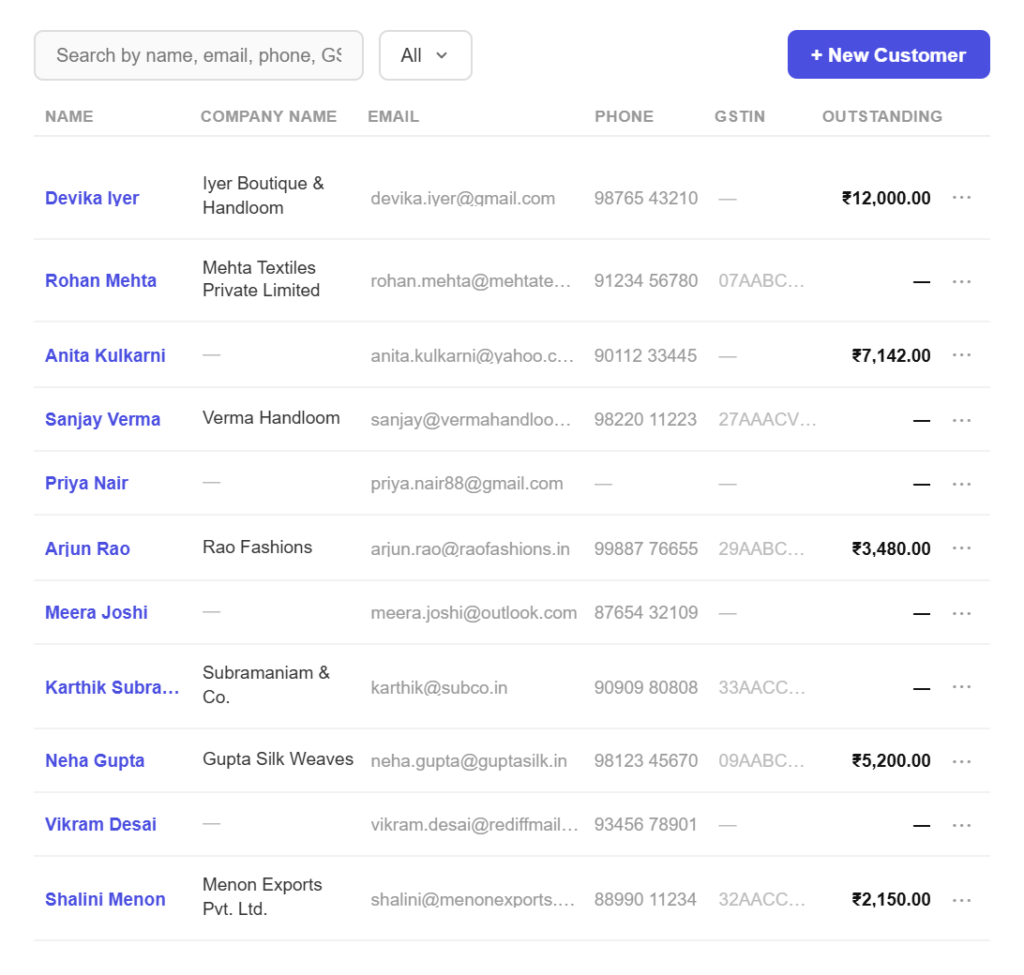
Set up once
Add a customer in three simple steps
No import needed to begin. Add your first customer and bill them today.
Step 01
Add the customer
Create the customer once with their business name, contact person, phone and email, so nothing has to be retyped on the next invoice.
Step 02
Store the tax details
Add their GSTIN and billing address. Pinvoice uses the state to work out whether a sale is intra-state or inter-state.
Step 03
Bill them in seconds
Start an invoice, quote or credit note from the customer and every detail is filled in before you type a line item.
Contact features
Everything you need to know about who you bill
One record, every detail
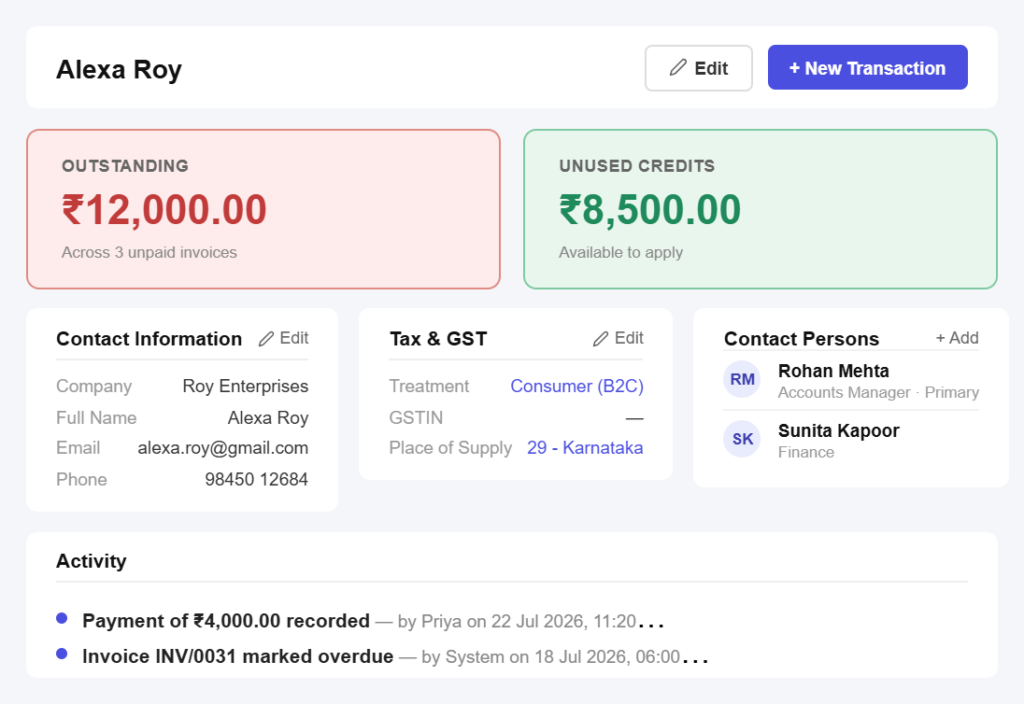
Billing and shipping togetherKeep both addresses on the record so deliveries and invoices go to the right place without a separate note somewhere.
More than one person to reachStore the person who signs off and the person who pays, because on most accounts they are not the same.
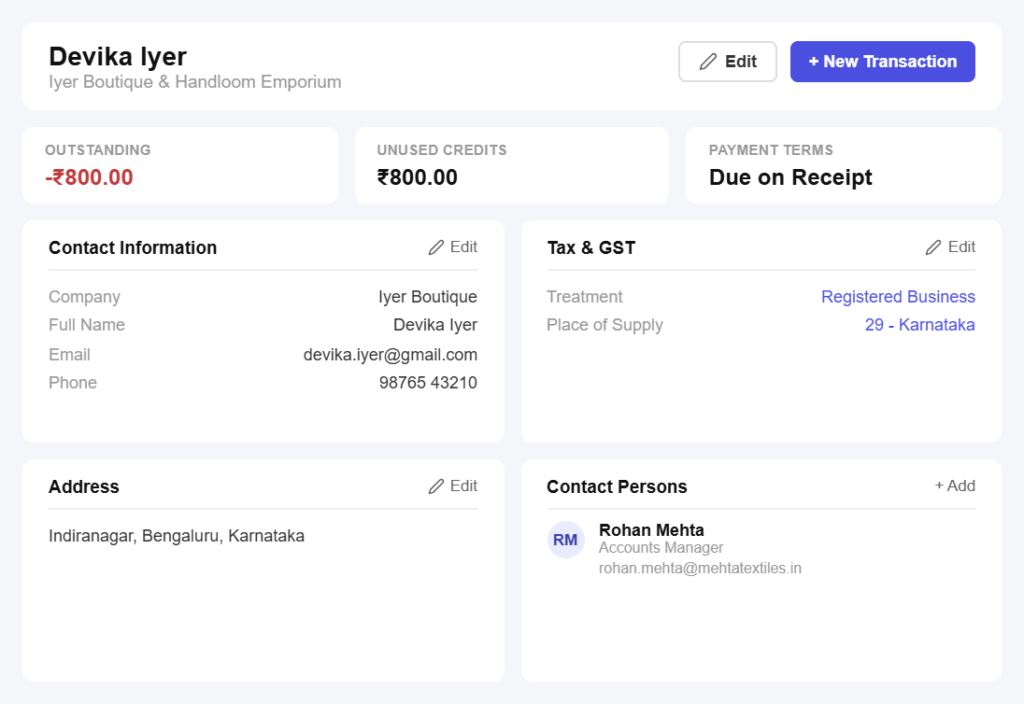
GSTIN and place of supply
GSTIN stored onceSave the customer’s GSTIN with the record so every invoice carries it correctly, which is what makes their input claim work.
Intra-state or inter-state, decided for youTheir state determines whether CGST and SGST or IGST applies, so the right tax is picked before you think about it.
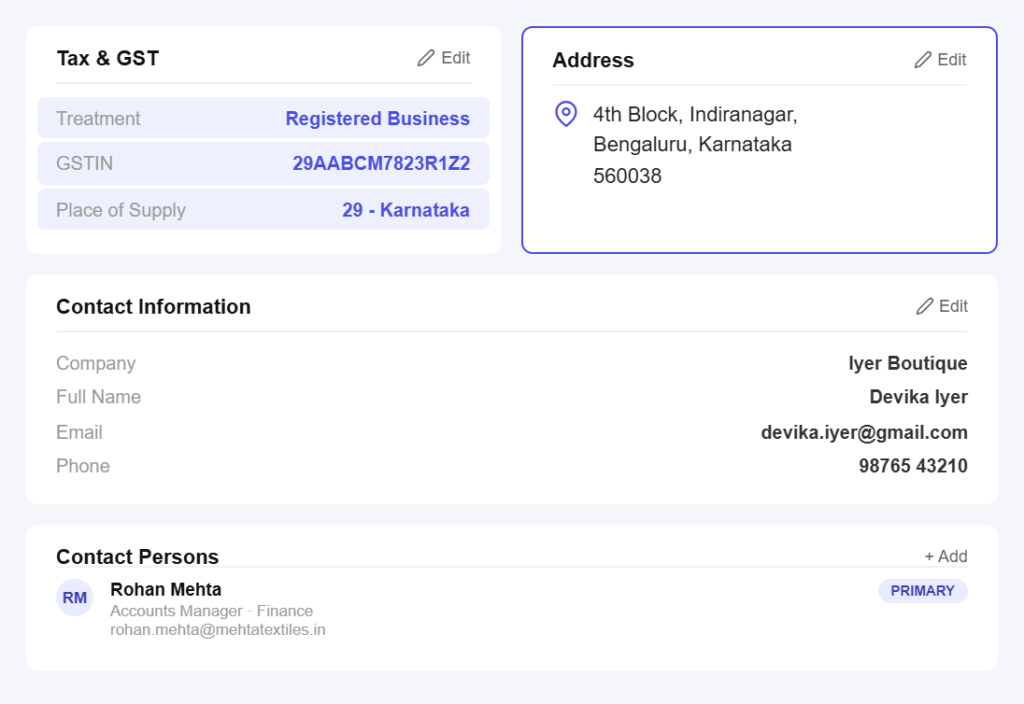
Their whole history, in order
Every document in one placeQuotes, invoices, credit notes and payments for a customer sit on one timeline, so a query is answered by scrolling, not searching.
Context before the callSee what they last bought, what they paid and how quickly, before you pick up the phone.
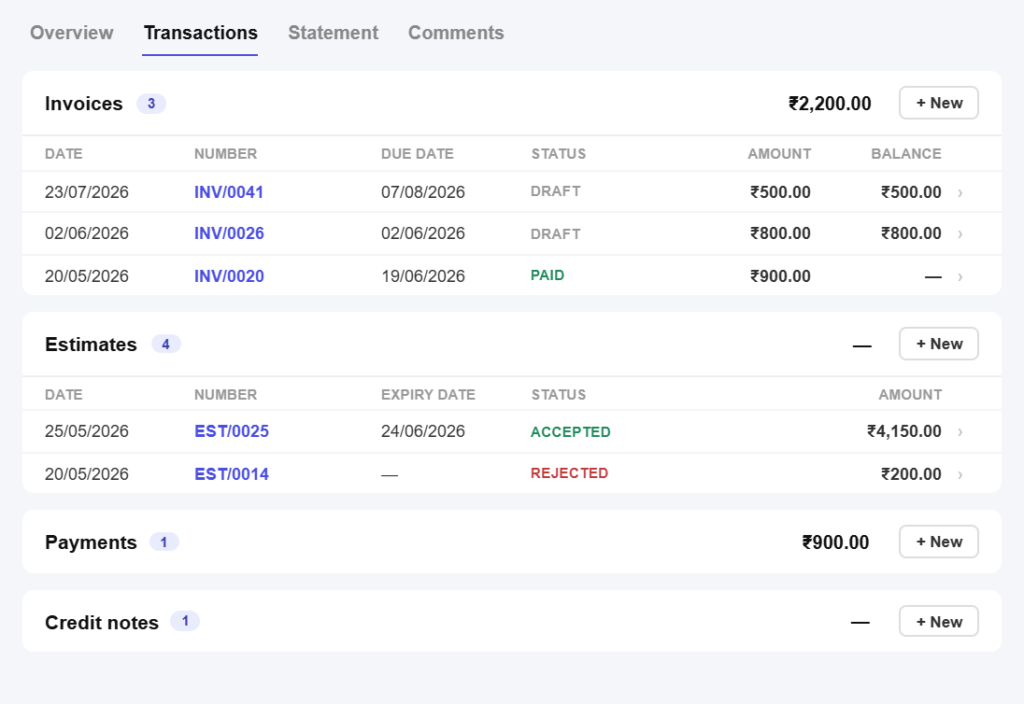
Balances you can rely on
What they owe, right nowEvery invoice and payment updates the customer’s balance immediately, so the outstanding figure is current rather than last month’s.
Credit carried forwardAn unused credit note sits on the account and is offered against their next invoice, so nothing is quietly lost.
Statements on demand
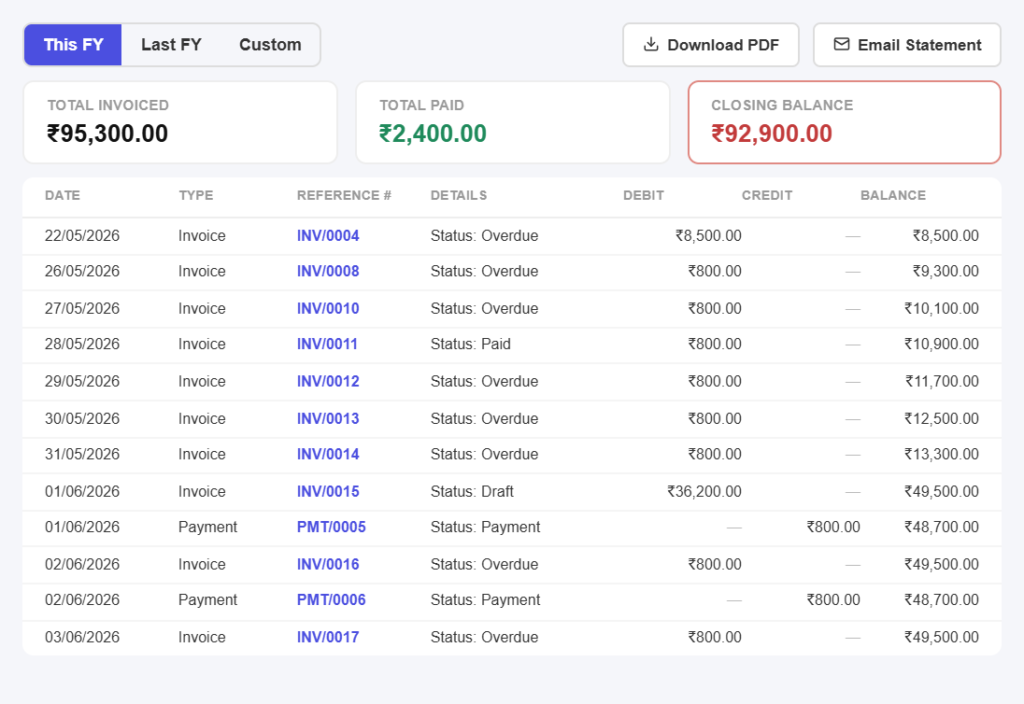
Send a statement in secondsProduce a customer-wise statement of invoices and payments for any period when someone queries their account.
End the disagreement with recordsWhen a client says they already paid, you have the dated entry rather than two people remembering differently.
Find anyone instantly
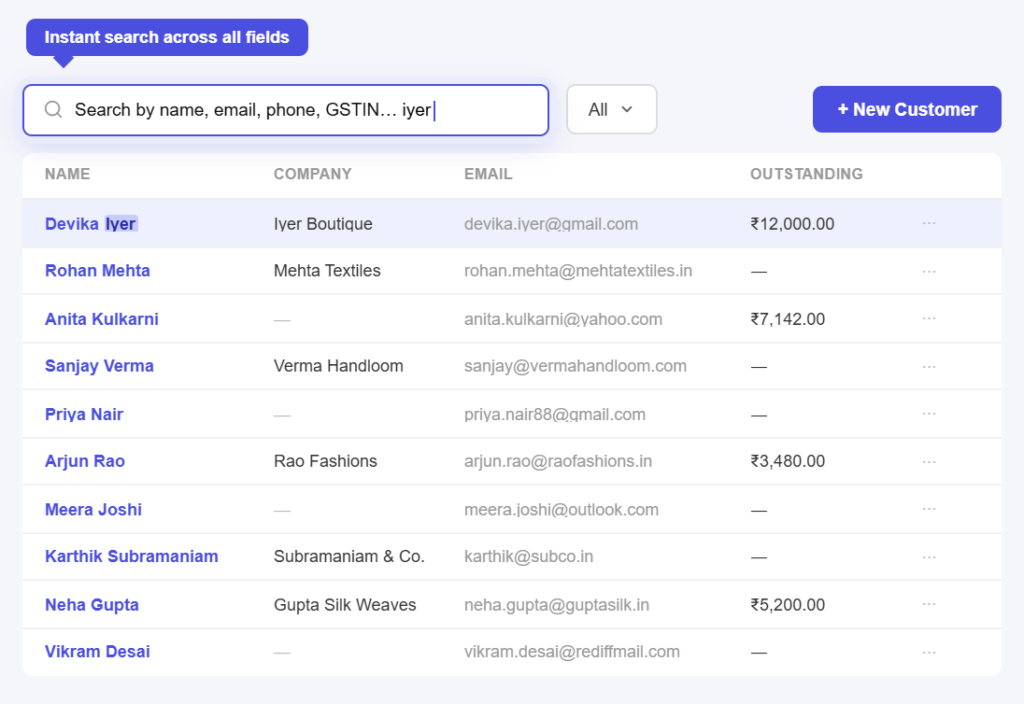
Search by anythingFind a customer by name, phone or GSTIN, which matters when the person calling is not the name on the account.
Keep the list cleanMark customers inactive when you stop working with them, so your list stays short without losing the history.
All in one place
One platform that goes beyond contacts
Contacts are the foundation. Pinvoice brings your whole billing workflow together.
Quotes & estimates
Send quotes and convert approved ones into invoices in one click.
Credit notes
Issue GST-safe credit notes for refunds and adjustments.
Expense tracking
Record business expenses and rebill them to clients.
Items & pricing
Save products with rates, HSN/SAC codes and GST slabs.
Contacts
Keep customer GSTINs, history and balances in one place.
Users & roles
Invite your team and accountant with the right permissions.
Payments
Record UPI, bank transfer, cheque or cash against an invoice and watch the outstanding balance update straight away.
For every kind of business
Customer records for your line of work
Retail buyers, retained clients or one-off jobs. Every trade keeps different records. Pinvoice fits yours.
Stop retyping the same details every month
From GSTINs stored once to balances you can trust, Pinvoice keeps your customer list working for you, free, forever. Create your account today.
Free foreverNo credit cardCancel anytime
FAQ
Contact questions, answered
Why store a customer’s GSTIN?
Because it has to appear on their invoice for them to claim input tax, and because their state decides whether you charge CGST and SGST or IGST. Storing it on the customer record means every document you raise carries the right details automatically instead of being retyped and mistyped.
Can I keep separate billing and shipping addresses?
Yes. Both live on the customer record, which matters when goods go to a site or warehouse but the invoice goes to a head office. The place of supply still follows the correct address for tax purposes.
How do I see what a customer owes me?
The customer record shows their outstanding balance, updated the moment you raise an invoice or record a payment. You can also pull a statement of invoices and payments across any date range if they query the account.
Can I bill customers who are not GST-registered?
Yes. Leave the GSTIN blank and raise a plain invoice. Many small businesses sell to both registered and unregistered customers, and Pinvoice handles both from the same list.
What happens to history if I stop working with a customer?
Mark them inactive rather than deleting them. They drop out of your day-to-day list but every invoice, payment and credit note stays on record, which is what you need if a question comes up later.
Is customer management free?
Yes. Contacts are part of Pinvoice at no cost, with no cap on how many customers you add and no credit card needed to start.