
Home/Industries/Photographers
Invoicing software for photographers and studios
Quote the package, take the booking advance, and bill the balance on delivery. Everything in writing, with GST applied correctly, so the money side of a shoot is settled before the camera comes out.
How it works
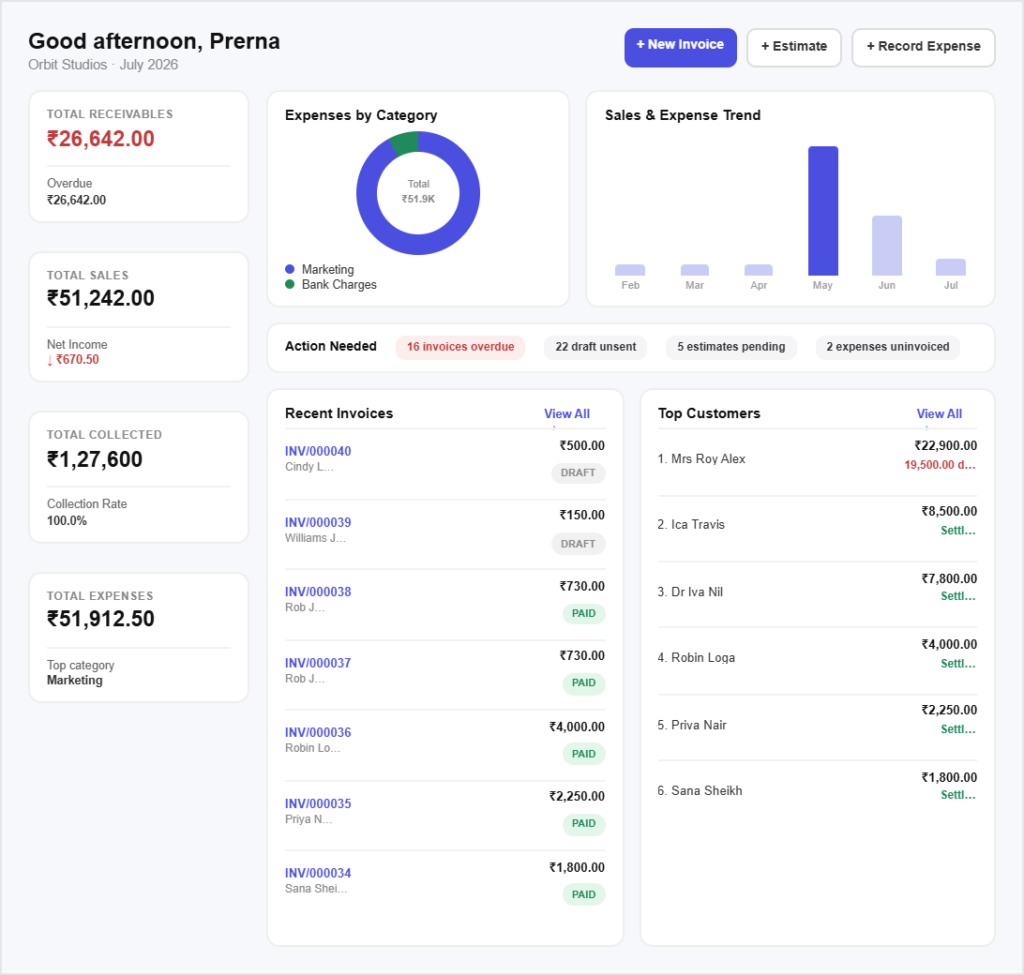
Book and bill a shoot in three steps
Send a package quote today and take the advance this week.
Step 01
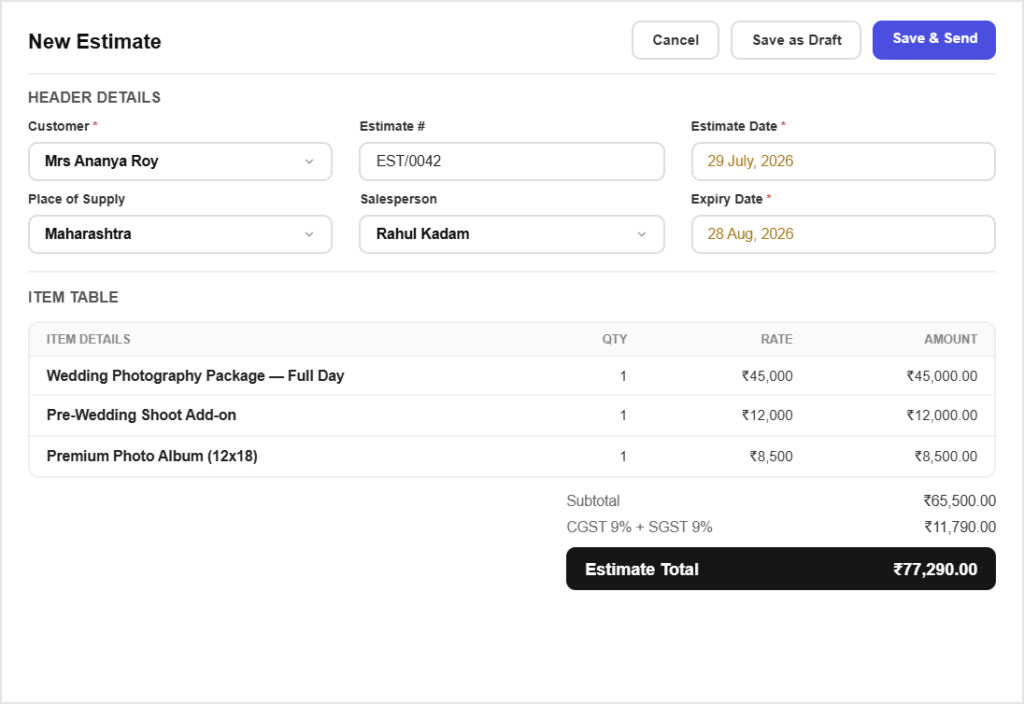
Quote the package
Build a quote from your saved packages, add-ons and per-hour rates, and send it for the client to accept online.
Step 02
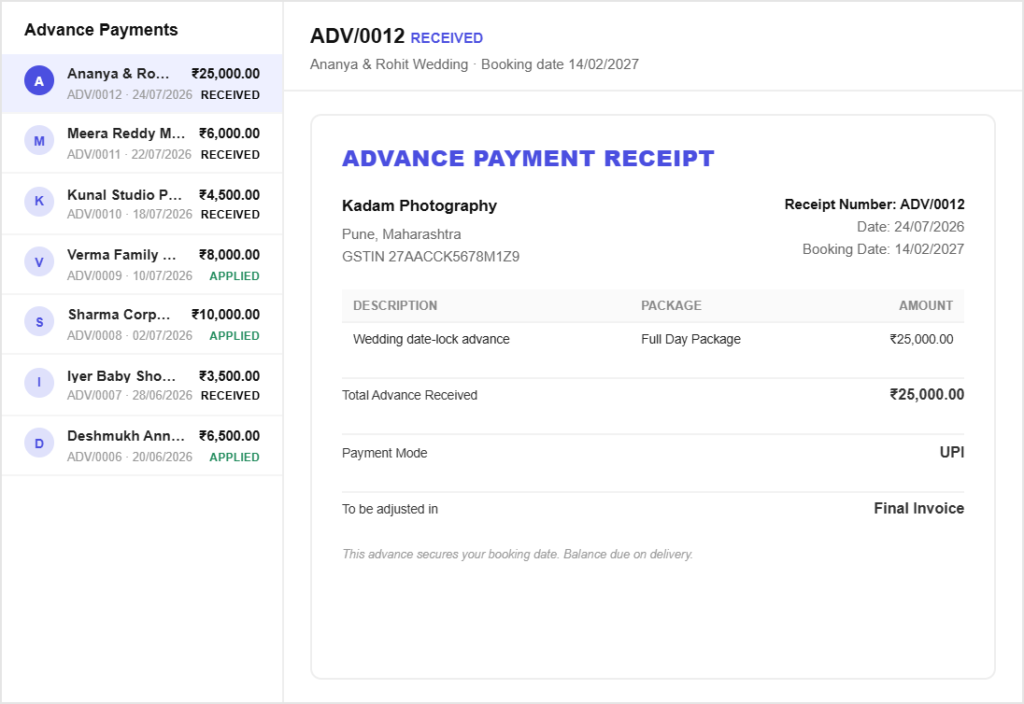
Take the advance
Invoice the booking advance, record the payment when it arrives, and the date is committed with something in writing behind it.
Step 03
Bill the balance
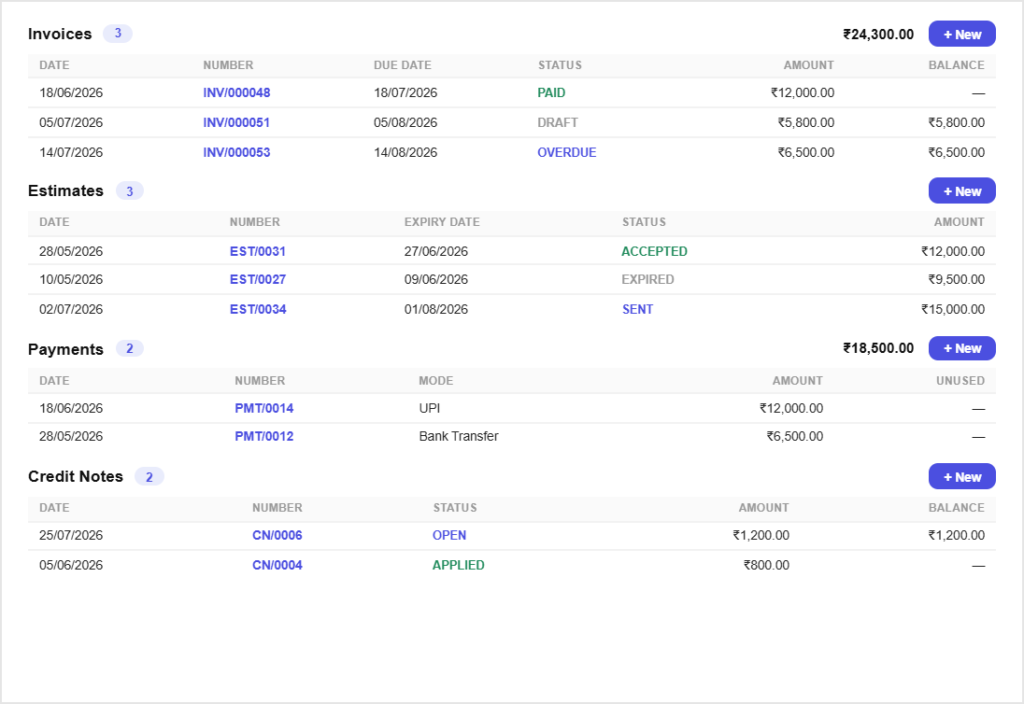
Invoice the balance on delivery. The client record shows what was quoted, paid and still owed across the whole job.
Built for the work
Built for how shoots get paid for
Packages priced once, quoted fast
Save your packages as itemsKeep wedding, portrait and commercial packages with their rates and SAC codes so quoting a new enquiry takes a minute, not an evening.
Add-ons without recalculatingExtra hours, a second shooter, albums and prints go on as separate lines with the tax worked out for you.
Advances that protect the date
Part payment, properly recordedInvoice the advance and the invoice shows part paid with the exact balance remaining, rather than an all-or-nothing flag.
A record if the date is cancelledThe quote, the advance and what was agreed are all on file, which is what you need when a booking falls through.
Every shoot on one client record
One timeline per clientQuotes, invoices, payments and receipts for a client sit together, so a question about last year’s shoot is answered by scrolling.
Repeat clients priced consistentlyCorporate clients who book several shoots a year get the same rates every time, pulled from your saved list.
Costs that belong to the shoot
Log what the shoot costTravel, assistants, props and rentals recorded against the client, so you know what the job actually made.
Rebill agreed costsMark a cost billable and it is offered on the balance invoice, instead of being absorbed because you forgot.
All in one place
One platform that goes beyond invoicing
Invoicing is the start. Pinvoice covers the rest of the studio admin.
Quotes & estimates
Send quotes and convert approved ones into invoices in one click.
Credit notes
Issue GST-safe credit notes for refunds and adjustments.
Expense tracking
Record business expenses and rebill them to clients.
Items & pricing
Save products with rates, HSN/SAC codes and GST slabs.
Contacts
Keep customer GSTINs, history and balances in one place.
Users & roles
Invite your team and accountant with the right permissions.
Payments
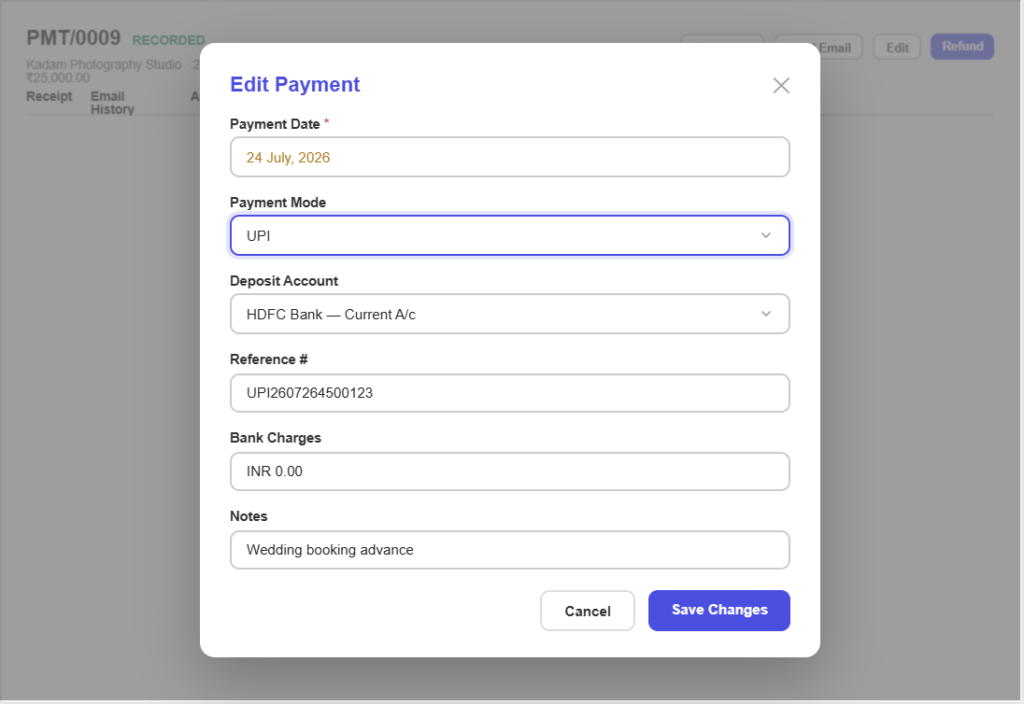
Record UPI, bank transfer, cheque or cash against an invoice and watch the outstanding balance update straight away.
For every kind of business
Invoicing for other kinds of business
However you earn, there is a version of this that fits.
Never shoot a wedding on a verbal agreement again
Pinvoice keeps packages, advances and balances straight. Free, forever.
Free foreverNo credit cardCancel anytime
FAQ
Photography invoicing questions, answered
How do I take a booking advance?
Raise an invoice for the advance amount and record the payment when it arrives. The invoice shows as part paid with the balance outstanding, and both sit against the client alongside the original quote.
Can I quote packages without rebuilding them each time?
Yes. Save each package as an item with its rate and SAC code, then drop it into a quote and add whatever extras the client wants. The tax and totals are calculated as you go.
What GST applies to photography?
Photography is a service, so it carries a SAC code rather than an HSN code. Save the correct code and slab against your packages once and every quote and invoice carries it. Confirm the current rate with your accountant, as slabs change.
Can I bill a client in another state?
Yes. Save their address and GSTIN and Pinvoice applies IGST for out-of-state work and CGST plus SGST for local work, without you having to decide each time.
Does it track shoot hours?
No. There is no timer or timesheet in Pinvoice. If you bill hourly, record the hours however you do now and enter them as a quantity against your saved hourly rate.
Is it free for a small studio?
Yes. Unlimited quotes, invoices and clients at no cost, with no per-document fee and no credit card needed to start.